Expert built-in agents
XuanJiang reads 2D DXF drawings, models the solid in FreeCAD, and delivers a STEP model with a verification report.
AI-native task hub
Upload drawings and documents and describe the goal. HengShu sends the task to AI workers you run, using the Claude or ChatGPT subscriptions you already have, and streams back every step and result.
Free download · macOS / Windows / Linux · Sign-up by invitation
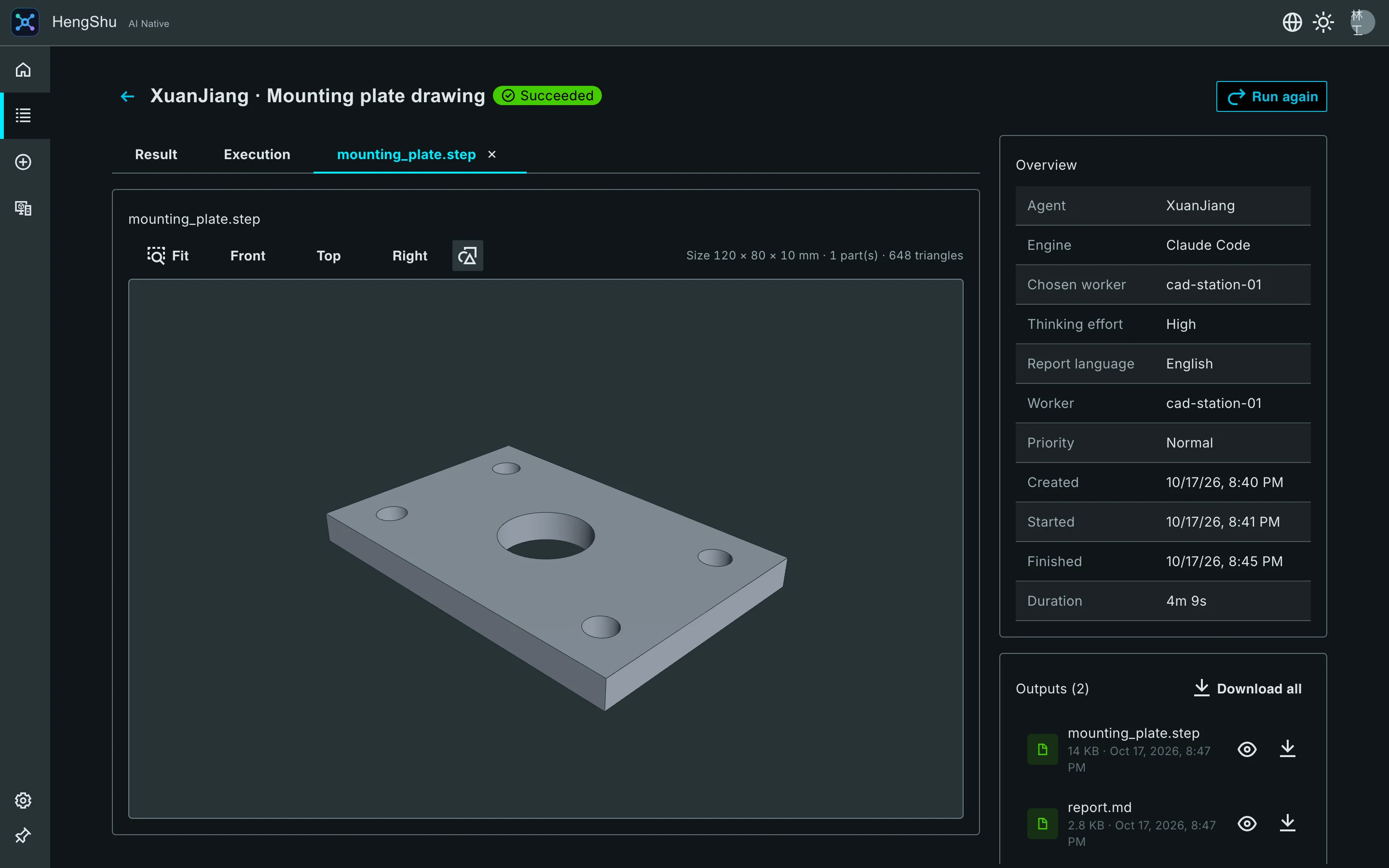
More than chat: HengShu gives tasks to agents that do the work, and keeps every step visible and under your control.
XuanJiang reads 2D DXF drawings, models the solid in FreeCAD, and delivers a STEP model with a verification report.
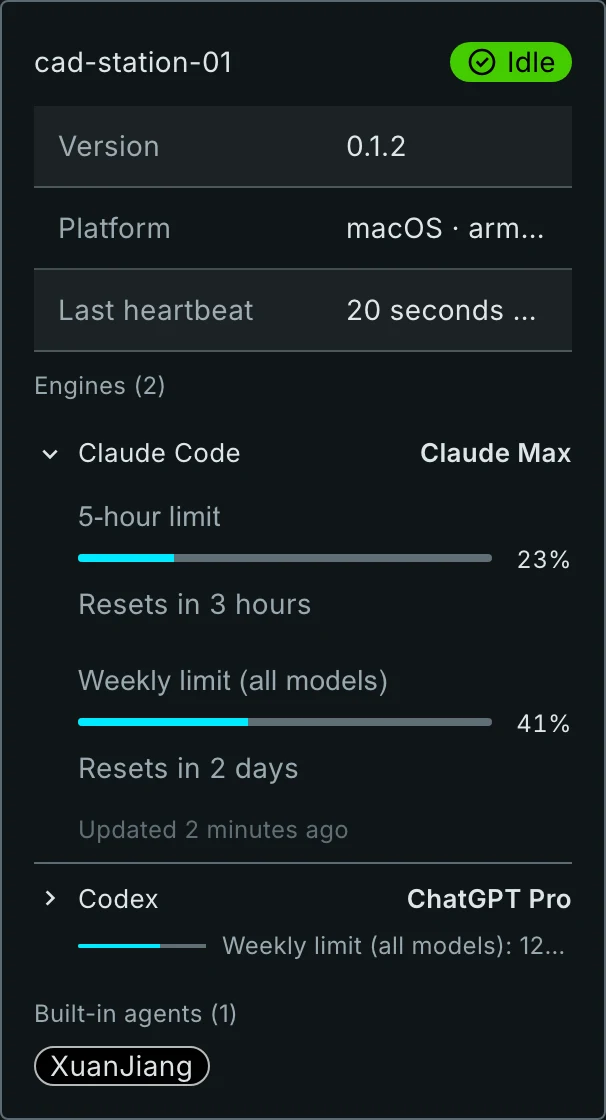
Workers use the Claude Code, Codex and other tools already signed in on the machine, with no API keys to set up. The Workers page shows each engine’s plan and usage limits.
Status changes, the agent’s reasoning, each tool call and every output land on a live timeline, so you always know where a job stands.
Preview STEP models in 3D, DXF drawings (including Chinese text) and Markdown reports. Files inside archives open without unpacking.
Workers run on computers or VMs you trust. Sign-up is invitation-only, data is separated per account, and a worker’s own credentials are never handed to agents.
UI updates download in the background and apply with a reload. App updates are signature-checked, and a faulty version rolls back by itself.
Choose a built-in agent such as XuanJiang and drop in drawings or a whole archive.
Let any idle worker take it, or pick the worker, engine and thinking effort. The effort levels come from the engine itself.
Watch each step on the timeline, preview the 3D model and report, and download all outputs at once.
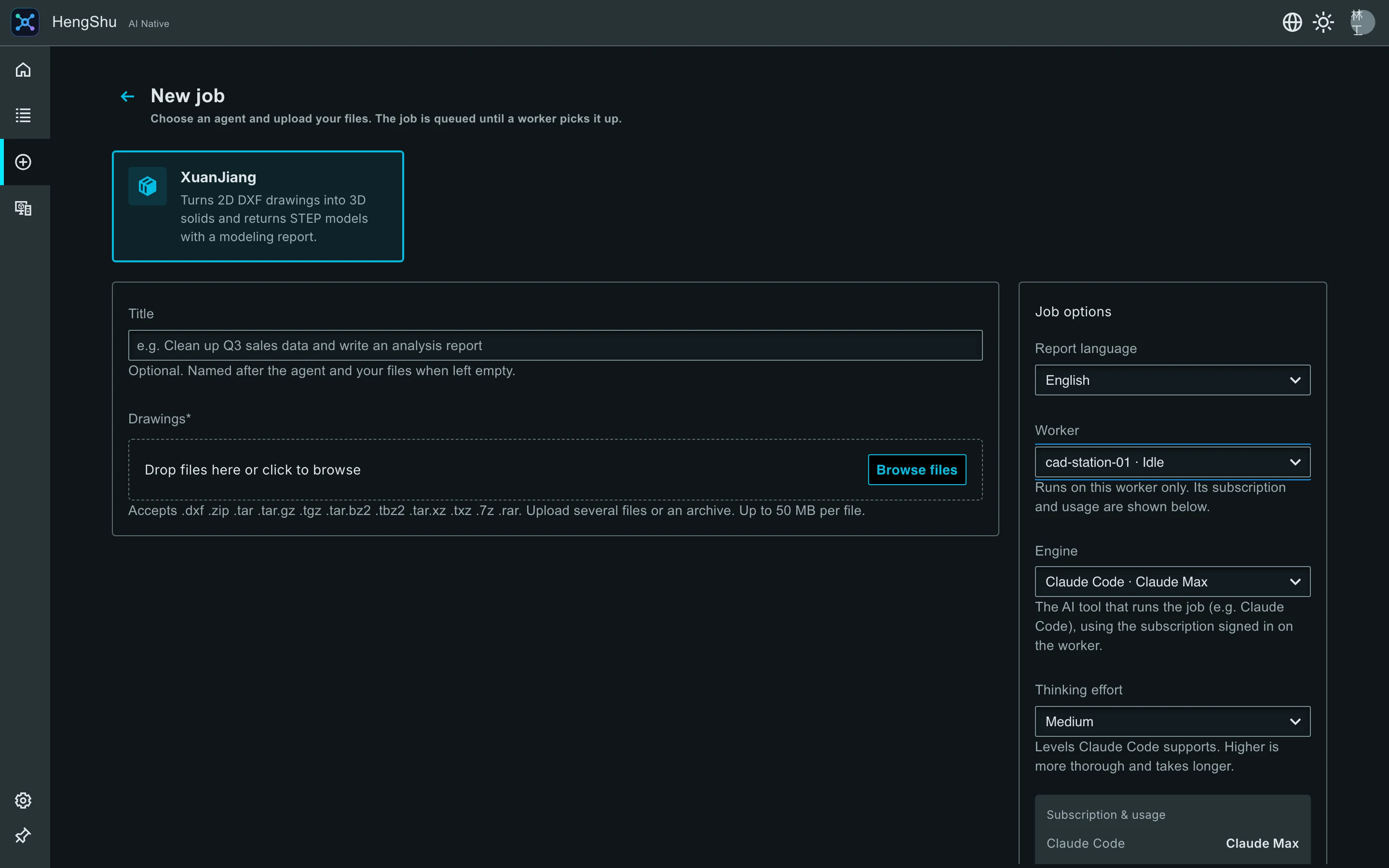
Built-in agent
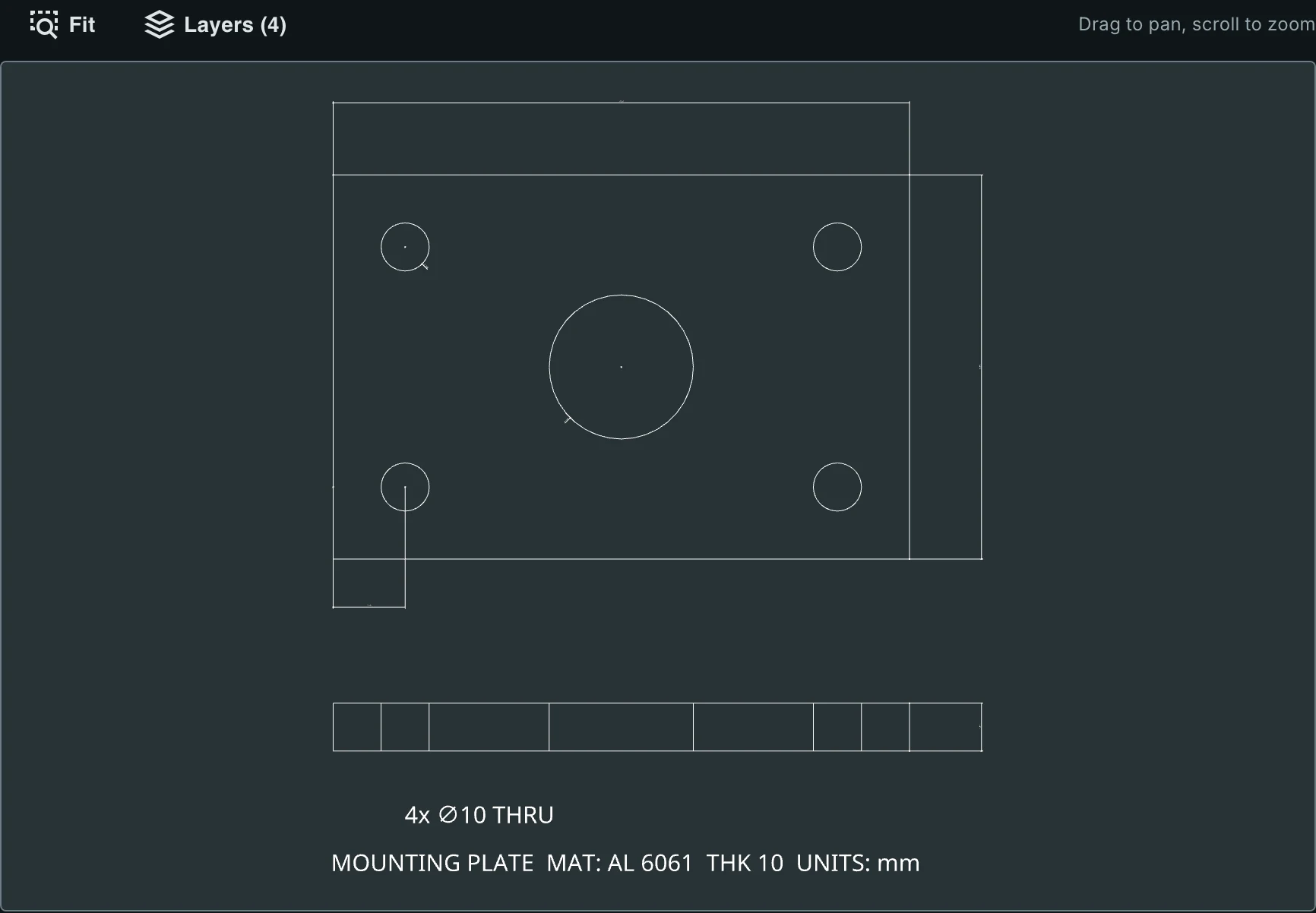
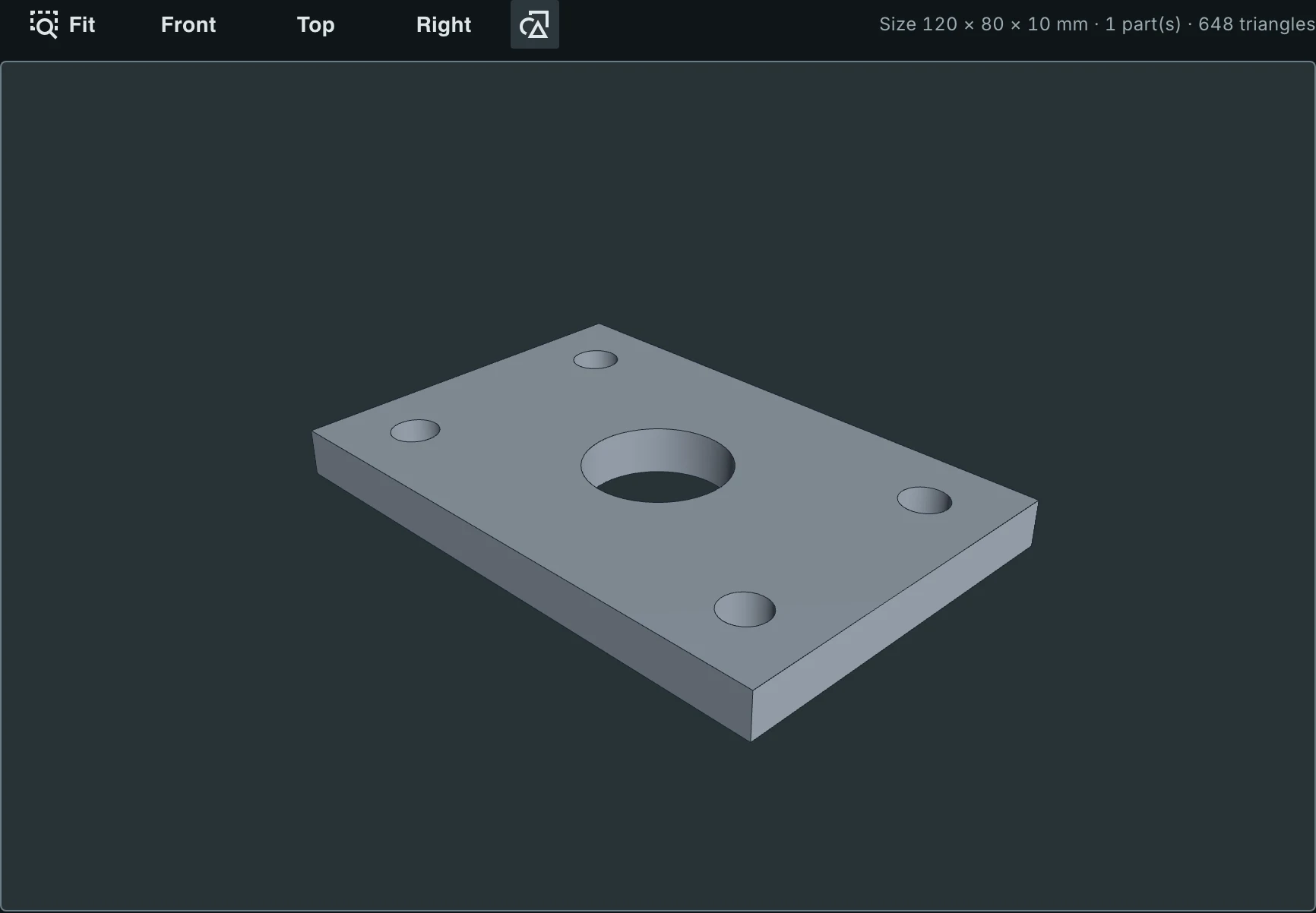
Upload one DXF drawing or a whole archive. XuanJiang reads the outlines, holes and annotations, models and checks the part in FreeCAD, and delivers a STEP model with a report explaining how it was built.
Input · DXF drawing
Output · STEP model
Workers
hengshu-worker is a small command-line program. Click “Add worker” in the app for a registration code, and one command on your own computer or server registers it, no administrator needed. Sign in to the AI tools you want to use, and it picks up your jobs, runs them and uploads the results. One worker can offer several engines.
Version 0.2.2 · released October 18, 2026
Universal · Apple silicon and Intel
Download .dmg26 MBdmg d1bc53de7f496c40d31bf52d28cbceb303a83a135341967e69a0a88485e19ecdWindows 10 / 11 · 64-bit
Download installer .exe14 MB Portable .zip13 MB .msi package15 MBexe 1e8ef9500b2cf8d8c9ae4a806d755714f28f7cd3462920d527abc17022339749zip eb4a8bf51e44320653fece91784ab3b5c64c8483ce9c9b2cdc034eebea49944dmsi 708ae2bf1daab4cf69fd52fc4d49c9038b57e383a92d6f61e521691b276c2ee364-bit · Debian, Ubuntu and others
Download .deb14 MB .AppImage88 MBdeb 0ae405497214571a352265505fa35dc4d056917798508565ba74d7a19aa9777aAppImage 635fad42d98cdb107ee98b7d1990923fc744c31e52e3b162e5996b1f9b5fa20fVersion 0.3.0 · Unpack it, get a registration code from “Add worker” on the Workers page of the app, run hengshu-worker register <code>, then hengshu-worker run.
The desktop app is a free download. Agents work through the AI subscriptions signed in on each worker (such as Claude or ChatGPT), paid for by whoever runs the worker.
Sign-up is by invitation for now. An administrator creates a code under Settings → Invitations in the app, and you enter it when you sign up.
Uploads and results are stored in HengShu’s cloud storage, separated per account, and only you and administrators can access them. A worker fetches only the files a job needs and deletes its temporary files when done.
Claude Code, Codex, Gemini CLI and OpenCode, all connected through the Agent Client Protocol (ACP). One worker can run several of them.
The app checks for updates by itself. UI updates download in the background and apply when you reload; updates to the app itself install after you confirm and are signature-checked.
Download the desktop app, sign up with your invitation code, and submit your first job in minutes.
Download now